NVIDIA Officially Retires Control Panel After 20 Years in Favor of NVIDIA App, but why? Lets’s explain to you.
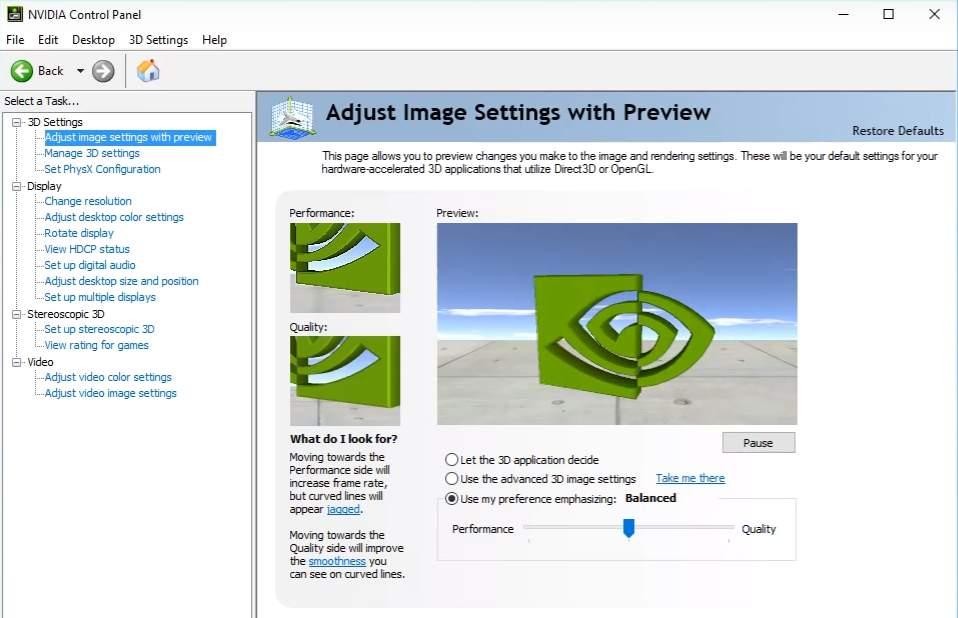
For more than two decades, the NVIDIA Control Panel was one of the most recognizable pieces of PC software. It survived multiple Windows generations, GPU architecture changes, and countless driver releases while becoming the primary destination for graphics settings, display configuration, and gaming optimizations.
Yet despite its importance, the application increasingly felt like a relic from another era—both visually and functionally.
Now, NVIDIA has officially retired the standalone Control Panel, replacing it with the NVIDIA App, marking the end of an iconic chapter in PC gaming history. The move is far more significant than a simple interface redesign. It represents NVIDIA’s broader strategy to modernize its software ecosystem, streamline driver management, and prepare for the next generation of AI-powered gaming experiences.
The End of a 20-Year Legacy
When the NVIDIA Control Panel first appeared in the early 2000s, it quickly became an essential utility for PC enthusiasts.
Unlike flashy gaming software, the Control Panel served a practical purpose. It allowed users to:
- Adjust 3D graphics settings
- Configure multiple monitors
- Change resolution and refresh rates
- Enable G-SYNC
- Manage color calibration
- Customize anisotropic filtering and anti-aliasing
- Create application-specific graphics profiles
For gamers, creators, and professionals alike, it became synonymous with NVIDIA graphics cards.
Ironically, while NVIDIA GPUs evolved dramatically—from the GeForce 6 Series to the RTX 50 Series—the Control Panel barely changed. By the mid-2020s, opening it felt like launching Windows Vista software.
Why NVIDIA Finally Pulled the Plug?
The retirement of the NVIDIA Control Panel after 20 Years in Favor of the NVIDIA App wasn’t sudden.
For years, NVIDIA maintained multiple separate applications:
- NVIDIA Control Panel
- GeForce Experience
- CUDA tools
- Broadcast
- RTX HDR utilities
- Driver update software
This fragmented ecosystem created confusion.
Users often needed to jump between different applications simply to:
- Update drivers
- Enable DLSS features
- Record gameplay
- Optimize game settings
- Adjust GPU options
The NVIDIA App consolidates these capabilities into one interface.
Instead of maintaining overlapping software, NVIDIA chose to unify everything under a single platform.
The NVIDIA App Is More Than a Replacement
Calling the NVIDIA App merely a replacement for Control Panel understates its ambition.
Rather than recreating the old interface with modern graphics, NVIDIA redesigned the entire user experience.
The application combines features previously scattered across multiple programs.
Core capabilities include:
- Driver installation and rollback
- One-click driver updates
- Game optimization
- RTX HDR
- RTX Video Super Resolution
- Performance monitoring
- GPU overclocking
- Recording and streaming
- Display settings
- Graphics customization
The goal is simple:
One application instead of four.
Modern Design Was Long Overdue
One of the biggest criticisms of NVIDIA Control Panel was its appearance.
Although functionality mattered more than aesthetics, the interface increasingly looked out of place on Windows 11.
It relied on:
- Legacy UI elements
- Small icons
- Minimal search capabilities
- Slow navigation
- Outdated menus
The NVIDIA App adopts Microsoft’s modern Fluent-inspired design language with:
- Cleaner navigation
- Faster loading
- Improved responsiveness
- Dark mode
- Better scaling for high-resolution displays
- Simplified organization
While visual improvements don’t directly increase gaming performance, they significantly improve usability.
AI Is Becoming Central to NVIDIA’s Software Strategy
Perhaps the biggest reason for this transition is artificial intelligence.
The old Control Panel was built around traditional GPU settings.
Today’s NVIDIA ecosystem revolves around AI features including:
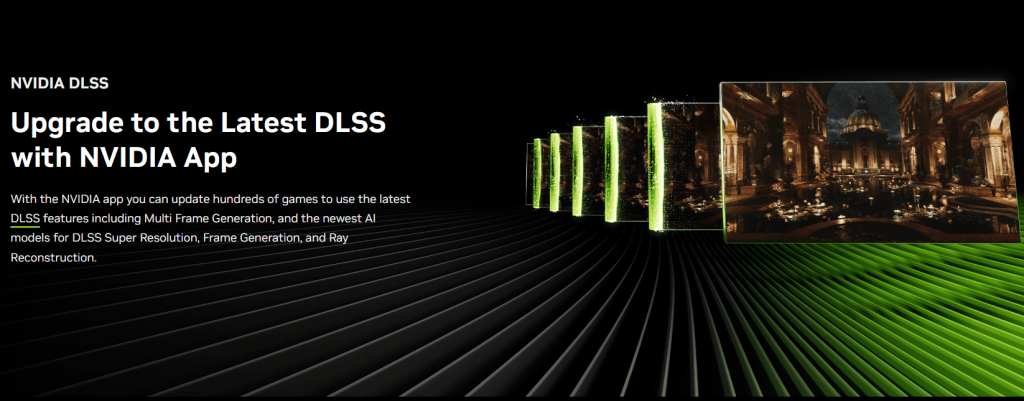
DLSS
Deep Learning Super Sampling has become one of NVIDIA’s biggest competitive advantages.
Instead of manually configuring traditional rendering settings, users increasingly rely on AI-driven upscaling.
RTX HDR
AI-generated HDR enhancement allows SDR games to benefit from improved dynamic range without native developer support.
RTX Video Enhancement
AI processing can improve the quality of streamed video in real time.
AI Performance Optimization
Future driver optimization may rely increasingly on machine learning rather than static presets.
The NVIDIA App provides a flexible platform for integrating these technologies in ways the aging Control Panel never could.
Better Driver Management
One long-standing complaint involved driver updates.
Previously, users had two choices:
- Install drivers manually
- Use GeForce Experience
The split often confused newcomers.
Now, driver management is integrated directly into the NVIDIA App.
Benefits include:
- Automatic update notifications
- Cleaner installation options
- Faster rollback
- Improved release notes
- Unified update process
This also reduces software redundancy.
Performance Tools Become Easier to Access
Historically, monitoring GPU performance required third-party utilities such as MSI Afterburner or HWiNFO.
The NVIDIA App now incorporates:
- GPU utilization
- Temperature monitoring
- Fan statistics
- Power consumption
- Frame rate overlay
- Basic overclocking controls
While enthusiasts may still prefer dedicated monitoring software, built-in tools satisfy the needs of most users.
What Happens to Existing Settings?
One concern among longtime users was whether decades of carefully tuned profiles would disappear.
Fortunately, NVIDIA has migrated many existing graphics settings into the new application.
Common configurations remain available, including:
- Per-game profiles
- Global 3D settings
- Display options
- G-SYNC configuration
- V-Sync
- Image scaling
Some advanced or rarely used settings may appear in different locations, requiring users to adjust to the new layout.
Not Everyone Is Happy
Despite its improvements, the NVIDIA App has received mixed reactions.
Concerns from Enthusiasts
Power users appreciate having direct access to every advanced GPU option.
Some worry the simplified interface could eventually hide or remove expert-level settings.
Preference for Lightweight Software
The old Control Panel consumed minimal system resources.
A modern application with overlays, telemetry, and AI integrations naturally carries a larger footprint.
Minimalists who preferred standalone utilities remain skeptical.
Change Always Brings Resistance
Many gamers have used the same workflow for nearly twenty years.
Changing long-established habits inevitably generates frustration, even when the new solution is objectively more capable.
Why This Matters Beyond NVIDIA
The retirement reflects a broader industry trend.
Major technology companies are consolidating software ecosystems.
Examples include:
- AMD integrating Adrenalin features into one package
- Intel Arc Control evolving into a unified graphics hub
- Microsoft merging system management tools into Windows Settings
- Gaming platforms centralizing updates and performance monitoring
Standalone utilities are disappearing in favor of integrated platforms.
NVIDIA’s move aligns perfectly with this direction.
The Bigger Business Strategy
From a business perspective, maintaining multiple applications is expensive.
Each requires:
- Separate development
- Independent testing
- Bug fixing
- Security updates
- User support
A unified application allows NVIDIA to:
- Deliver features faster
- Reduce maintenance costs
- Improve user onboarding
- Collect more consistent diagnostic data
- Roll out AI-powered services more efficiently
It also positions the company for future cloud-connected features and subscription-based enhancements, should NVIDIA choose to pursue them.
Looking Ahead to New Services
The retirement of NVIDIA Control Panel is symbolic.
It marks the end of software designed primarily around manual graphics tuning and the beginning of an ecosystem increasingly driven by automation, AI, and integrated services.
As graphics hardware becomes more complex—with technologies such as DLSS, Frame Generation, RTX Neural Rendering, and AI-assisted optimization—the software controlling that hardware must evolve as well.
The NVIDIA App is clearly intended to be that evolution.
Whether every longtime user embraces the change remains to be seen. Some enthusiasts will undoubtedly miss the simplicity and familiarity of the classic Control Panel. Others will welcome a cleaner interface that finally brings NVIDIA’s software experience in line with the capabilities of its modern GPUs.
Final Thoughts on NVIDIA Officially Retiring the Control Panel
The retirement of the NVIDIA Control Panel closes a remarkable 20-year chapter in PC gaming. Few pieces of software have remained as recognizable—or as unchanged—for so long. While its dated appearance became the subject of jokes, its reliability and extensive customization options earned it a loyal following among gamers and professionals alike.
The NVIDIA App signals a shift toward a more unified, intelligent, and feature-rich ecosystem. By combining driver management, graphics configuration, performance monitoring, game optimization, and AI-powered technologies into a single platform, NVIDIA is simplifying the user experience while laying the groundwork for future innovations.
Although some advanced users may lament the loss of a familiar interface, the transition reflects the realities of modern GPU software, where AI integration, continuous updates, and centralized management are becoming just as important as raw graphics performance.
In many ways, this is more than the retirement of an application—it is the end of an era and the beginning of NVIDIA’s next chapter.