Windows vs Mac: Which Computer Is Right for You?
The debate over Windows vs Mac has existed for decades, and despite rapid advances in technology, it remains one of the most common questions people ask before buying a new computer. Students wonder which platform is better for studying, professionals want the most productive work environment, gamers seek the highest performance, and creative users often look for the best tools for design, video editing, and music production.
The truth is that there is no universal winner. Both platforms have evolved significantly over the past few years. Modern Windows computers are more refined than ever, while Apple’s transition to its own silicon chips has dramatically changed what Mac computers can achieve. As a result, choosing between them is no longer as simple as saying one is faster or cheaper. The better choice depends on how you work, what software you use, your budget, and the devices you already own.
This detailed guide explores every major aspect of the Windows vs Mac comparison. Instead of focusing only on specifications, we’ll examine how each operating system performs in real-life situations. You’ll learn how they differ in everyday use, productivity, security, software compatibility, hardware options, gaming, creative work, and long-term value.
By the end of this guide, you’ll have a clear understanding of which platform best matches your needs rather than relying on outdated myths or brand loyalty.
Understanding the Difference Between Windows and Mac
Before comparing features, it’s important to understand what makes these platforms fundamentally different.
Windows is an operating system developed by Microsoft. Unlike Apple, Microsoft licenses Windows to many manufacturers. Companies such as Dell, HP, Lenovo, ASUS, Acer, MSI, Samsung, and Microsoft itself all produce Windows computers. This gives buyers an enormous range of options, from affordable laptops costing a few hundred dollars to powerful gaming systems and enterprise workstations.
Mac, on the other hand, refers to Apple’s line of computers that run macOS. Apple controls both the hardware and the operating system. Instead of allowing multiple manufacturers to build Mac computers, Apple designs every component to work together as part of a unified system.
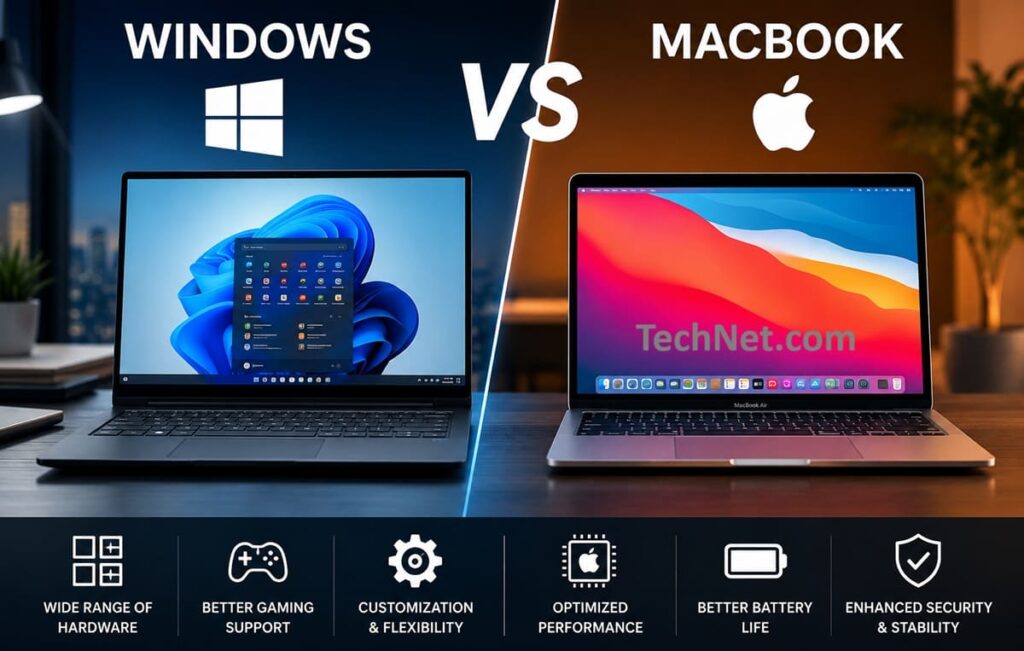
This difference shapes almost every aspect of the Windows vs Mac discussion. Windows emphasizes flexibility and variety, while Apple focuses on optimization and consistency.
Imagine buying a custom-built house versus purchasing one designed entirely by a single architect. A custom-built home lets you choose every feature, but the quality depends on the builder and the materials you select. A house designed by a single architect may offer fewer customization options, yet every room is carefully planned to work together. Windows and Mac follow these same philosophies.
Hardware Choices and Flexibility
One of the biggest differences between Windows and Mac appears before you even turn on the computer.
If you’re shopping for a Windows laptop or desktop, you’ll quickly discover thousands of models available across every price category. A college student looking for an affordable machine can purchase a capable Windows laptop without spending a fortune. At the same time, an engineer might invest in a workstation equipped with multiple high-performance processors, large amounts of memory, and professional graphics hardware. Gamers can choose desktop systems with advanced cooling solutions and the latest graphics cards, while business travelers may prefer lightweight ultrabooks designed for maximum portability.
This enormous selection exists because Microsoft allows many manufacturers to build Windows computers. Competition encourages innovation, giving consumers access to different designs, screen sizes, keyboards, battery capacities, and price points.
Apple takes a completely different approach.
Instead of offering hundreds of models, Apple maintains a relatively small lineup consisting of the MacBook Air, MacBook Pro, Mac mini, iMac, Mac Studio, and Mac Pro. While this limits consumer choice, it also simplifies the buying process. Each model serves a clearly defined audience, and buyers rarely need to worry about incompatible components or confusing hardware configurations.
For example, a graphic designer purchasing a MacBook Pro can be confident that the display, speakers, processor, battery, and operating system have all been designed together. Apple controls every major component, allowing engineers to optimize performance in ways that are difficult for manufacturers using standardized Windows hardware.
The trade-off becomes clear when considering upgrades.
Many Windows desktop computers allow users to replace the graphics card, add more memory, install larger storage drives, or even upgrade the processor several years after purchase. This flexibility can extend a computer’s lifespan while reducing long-term costs.
Modern Macs, particularly laptops, are much less upgradeable. Memory and storage are often integrated directly into the motherboard, meaning buyers must carefully choose their configuration at the time of purchase. While this design contributes to thinner devices and improved efficiency, it also limits future expansion.
For users who enjoy customizing their computers or upgrading hardware over time, Windows generally offers far greater flexibility. Those who value simplicity and optimized integration may find Apple’s approach more appealing.
Operating System Design and User Experience
A computer’s operating system influences every interaction you have with it. Whether you’re opening files, organizing folders, switching between applications, or searching for documents, the interface determines how quickly and comfortably you complete everyday tasks.
macOS has long been praised for its clean, elegant design. Apple follows strict design guidelines that encourage developers to build applications with consistent menus, icons, and navigation patterns. As a result, moving between different programs often feels seamless. Even users new to macOS can usually predict where settings and controls are located because Apple emphasizes consistency throughout the operating system.
The Dock provides quick access to frequently used applications, while Spotlight Search lets users find files, launch programs, perform calculations, convert units, and search the web from a single location. Features such as Mission Control, Stage Manager, and Spaces help users organize multiple applications without overwhelming the desktop.
Windows approaches interface design from a different perspective. Rather than enforcing strict visual consistency, Microsoft focuses on flexibility and productivity. The familiar Start Menu gives users immediate access to installed programs, recent files, settings, and search tools. Taskbar customization, multiple desktops, Snap Layouts, and advanced window management provide excellent support for multitasking.
One area where Windows has made significant progress is organizing large numbers of applications across multiple displays. Users can easily position several windows side by side, save desktop layouts, and quickly switch between work environments. This makes Windows particularly attractive for professionals who regularly work simultaneously with spreadsheets, coding environments, communication tools, and web browsers.
The Windows vs Mac comparison becomes especially interesting when considering user preferences.
Someone who values simplicity, visual consistency, and minimal distractions may appreciate macOS. A user who enjoys customizing layouts, adjusting settings, and creating highly personalized workflows may prefer Windows.
Neither philosophy is inherently better. Instead, each reflects different priorities. Apple aims to reduce complexity wherever possible, while Microsoft offers greater freedom for users seeking more control over their computing experience.
Performance and System Optimization
Raw hardware specifications tell only part of the story when evaluating computer performance.
A common misconception is that a computer with the highest processor speed or the most memory automatically delivers the best experience. In reality, software optimization often plays an equally important role.
Apple’s transition to its own silicon chips fundamentally changed Mac performance. Because Apple designs both the processor and macOS, the operating system can take advantage of specialized hardware features unavailable on competing platforms. This close integration improves power efficiency, application responsiveness, and battery life while reducing heat generation.
For everyday activities such as web browsing, office work, video conferencing, photo editing, and even 4K video production, modern Macs frequently feel exceptionally smooth despite using less electrical power than many comparable systems.
Windows performance is more variable because the operating system supports an enormous variety of processors, graphics cards, storage devices, and motherboard designs. A well-built premium Windows laptop can easily rival or surpass a Mac in demanding workloads. Likewise, a custom desktop equipped with powerful processors and dedicated graphics hardware may dramatically outperform any consumer Mac in specialized applications such as scientific simulations, 3D rendering, engineering analysis, or advanced gaming.
However, this flexibility also introduces inconsistency. Two Windows laptops with similar specifications may deliver noticeably different performance due to differences in cooling systems, firmware, drivers, or manufacturer software.
For everyday users, the distinction is often less significant than expected. Both platforms can handle common productivity tasks with ease. The real differences emerge under sustained heavy workloads, where Apple’s optimization and Windows’ hardware scalability each demonstrate their unique strengths.
Software Compatibility and Application Ecosystem
When comparing Windows vs Mac, one of the most important factors is software compatibility. A computer is only as useful as the applications it can run, and the right choice often depends on the programs you rely on every day.
For many years, Windows has been the dominant desktop operating system, which means most software developers release Windows versions of their applications first. Whether you’re working in accounting, engineering, architecture, healthcare, education, or manufacturing, there’s a good chance the software your organization uses was originally built for Windows.
| Feature | Windows | Mac (macOS) |
|---|---|---|
| Overall Software Availability | The largest software library, with millions of desktop applications across every industry. | An extensive software library, but smaller than Windows, with a stronger focus on creative and productivity apps. |
| Business Software | Excellent support for enterprise applications, accounting software, ERP systems, CRM platforms, and legacy business tools. | Supports many business applications, but some enterprise and legacy software may be unavailable or have fewer features. |
| Creative Applications | Runs Adobe Creative Cloud, Blender, DaVinci Resolve, and many professional creative tools. | Excels in creative work with exclusive apps like Final Cut Pro and Logic Pro, alongside Adobe Creative Cloud and other professional software. |
| Gaming Software | Best platform for PC gaming with access to the largest game library on Steam, Epic Games Store, Xbox App, and other launchers. | Gaming support has improved, but the overall game library remains much smaller than Windows. |
| Engineering & CAD Software | Best compatibility with AutoCAD, SolidWorks, Revit, ANSYS, MATLAB, and many engineering applications. | Supports some engineering software, but many specialized programs are Windows-only. |
| Programming & Development | Excellent for .NET, Visual Studio, enterprise development, AI, cybersecurity, and game development. | Excellent for web development, UNIX-based workflows, and mandatory for iOS and macOS app development. |
| Microsoft Office | Full compatibility with the latest Office features and enterprise integrations. | Microsoft Office is fully supported, though a few enterprise-specific features may appear on Windows first. |
| Adobe Creative Cloud | Fully supported with optimized performance on compatible hardware. | Fully supported and widely used by photographers, designers, and video editors. |
| Mobile App Integration | Strong integration with Android devices through Phone Link and Microsoft services. | Deep integration with iPhone and iPad, including Handoff, AirDrop, Universal Clipboard, and Continuity features. |
| Cloud Storage | Native integration with OneDrive, SharePoint, Dropbox, Google Drive, and other cloud services. | Native iCloud integration with excellent support for Dropbox, Google Drive, and Microsoft OneDrive. |
| Legacy Software | Outstanding compatibility with older business and desktop applications. | Limited support for legacy Windows applications without virtualization or compatibility tools. |
| App Installation | Install apps from the Microsoft Store, developer websites, or enterprise deployment tools. | Install apps from the Mac App Store or trusted developer websites with built-in security verification. |
| Third-Party Software Support | Broadest third-party software ecosystem across nearly every industry. | Strong third-party support, especially for creative, education, and productivity software. |
| Software Updates | Updates come from Microsoft and individual software vendors. | Apple provides centralized macOS updates, while apps update through the App Store or developers. |
| Best For | Businesses, gamers, engineers, programmers, researchers, and users needing maximum software compatibility. | Creative professionals, students, developers building Apple apps, and users invested in the Apple ecosystem. |
Businesses around the world depend on Windows because of its compatibility with specialized enterprise applications. Programs used for payroll, inventory management, customer relationship management, industrial automation, and engineering design are frequently developed with Windows in mind. This extensive software library is one of Microsoft’s greatest strengths.
Take the example of an architectural firm. Architects often work with programs such as AutoCAD, Revit, SketchUp, and various rendering tools. While some of these applications are available on macOS, many offer their fullest Functionality on Windows or integrate better with Windows-based workflows. An engineering company may also rely on simulation software that simply isn’t available for macOS.
Mac computers, however, have built an equally impressive reputation in creative industries. Applications such as Final Cut Pro and Logic Pro are available only on macOS and are widely respected by video editors and music producers. Apple’s own software is tightly integrated with its hardware, resulting in fast rendering, smooth playback, and efficient resource management.
Fortunately, many popular applications are available on both platforms. Adobe Photoshop, Illustrator, Premiere Pro, Microsoft Office, Zoom, Slack, Chrome, Firefox, and many other widely used programs work well on both operating systems. For users whose daily workflow revolves around these mainstream applications, software availability may not be a deciding factor.
Another important consideration is mobile app integration. Modern Macs can run many applications originally designed for iPhone and iPad, especially those optimized for Apple Silicon processors. This creates a seamless experience for users deeply invested in Apple’s ecosystem.
Windows also offers excellent integration with cloud services and Android devices, allowing users to synchronize notifications, messages, files, and photos across multiple devices.
Ultimately, software compatibility isn’t about which operating system has “more” applications. Instead, it’s about whether your essential tools are available and perform well on your chosen platform. Before purchasing any computer, it’s always worth making a list of the programs you use most frequently and verifying their compatibility.
Gaming Performance and Entertainment
Few topics generate stronger opinions in the Windows vs Mac debate than gaming.
For decades, Windows has been the undisputed leader in PC gaming. Nearly every major game developer prioritizes Windows because it represents the largest gaming market. As a result, thousands of games launch on Windows first, often with advanced graphics settings, hardware optimization, and support for the latest technologies.
A Windows gaming computer can be configured with powerful graphics cards that deliver realistic lighting, detailed textures, and smooth frame rates even at high resolutions. Technologies such as real-time ray tracing, AI-assisted image upscaling, and high-refresh-rate displays provide experiences that rival those of dedicated gaming consoles.
Consider a player who enjoys competitive multiplayer games. Titles like Valorant, Counter-Strike 2, Apex Legends, Fortnite, and many others are designed with Windows in mind. These games often support advanced graphics drivers, gaming peripherals, and anti-cheat systems that have been refined over many years.
Mac gaming has improved considerably, especially since Apple introduced its own processors and invested in graphics technologies like Metal. Several high-profile games now run natively on modern Macs, and developers have begun paying greater attention to the platform. Apple has also introduced tools that make it easier for developers to bring Windows games to macOS.
Even so, the selection remains smaller than on Windows. Many popular games either arrive much later on Mac or never receive a macOS version at all. Competitive gamers may also encounter compatibility issues with certain anti-cheat systems or gaming utilities.
Hardware flexibility is another major difference. A desktop Windows gaming PC can often be upgraded over time with a newer graphics card, additional memory, or a faster processor. This allows players to keep pace with increasingly demanding games without having to replace the entire computer.
Modern Macs generally cannot be upgraded in this way. Buyers must select their hardware configuration at the time of purchase, which limits future performance improvements.
That doesn’t mean Macs are poor entertainment devices. They offer outstanding displays, impressive speakers, efficient video playback, and excellent streaming performance. Watching movies, editing videos, or enjoying casual games is a pleasant experience. However, if gaming is one of your primary reasons for buying a computer, Windows remains the more practical choice because of its larger game library, broader hardware support, and stronger developer focus.
Security and Privacy
Security has become one of the most important considerations for computer users. From online banking to personal photos and confidential work documents, modern computers store information that needs strong protection.
Apple has built much of its reputation around privacy and security. Because Apple controls both the hardware and the software, it can implement security features at multiple levels of the system. Modern Macs include technologies that help verify downloaded applications, encrypt storage, and prevent unauthorized software from modifying critical system files.
Another advantage comes from Apple’s tightly managed application ecosystem. Software installed from trusted sources is checked before it reaches users, reducing the likelihood of malicious applications spreading through official channels.
Windows has also made remarkable progress in recent years. Earlier versions of Windows were frequently criticized for security weaknesses, but today’s operating system includes comprehensive protection against viruses, ransomware, phishing attacks, and other online threats.
Microsoft Defender now provides real-time antivirus protection at no additional cost, while built-in firewall technologies, secure boot processes, and hardware-based security features significantly improve overall protection.
So why do people still believe Windows is less secure?
The answer lies partly in popularity.
Because Windows powers a much larger number of personal computers worldwide, it naturally attracts greater attention from cybercriminals. Malware creators often target the operating system with the largest user base because successful attacks can affect more victims.
Imagine two apartment buildings. One contains 100 residents, while the other contains 20. A thief is statistically more likely to visit the larger building simply because there are more potential targets. This doesn’t necessarily mean the larger building has weaker security—it simply attracts more attention.
In everyday use, both operating systems can be highly secure when users install updates promptly, use strong passwords, enable multi-factor authentication, and avoid downloading software from untrusted sources.
Privacy is another area where Apple and Microsoft differ philosophically. Apple generally emphasizes minimizing data collection wherever possible, while Microsoft offers broader cloud integration and personalized services that may involve additional diagnostic data. Both companies provide users with settings to control privacy preferences, although the available options differ.
For most users, safe online habits are ultimately more important than the choice of operating system itself.
Battery Life and Power Efficiency
Battery life has become one of the biggest selling points for modern laptops, particularly as more people work remotely, travel frequently, or study away from traditional offices.
Apple’s recent laptops have gained widespread recognition for exceptional battery performance. Thanks to highly efficient processors and close hardware-software integration, many MacBooks can comfortably last through an entire workday on a single charge.
Consider a university student attending lectures from morning until evening. With a modern MacBook, it’s often possible to take notes, browse the web, join video calls, and complete assignments without carrying a charger all day. For professionals who travel regularly, this level of endurance provides significant convenience.
Efficiency also means lower heat generation. Many MacBooks remain cool and quiet during ordinary workloads, and some models operate without internal cooling fans during light tasks. This creates a quieter working environment while extending battery life.
Windows laptops present a much broader range of experiences.
An inexpensive Windows laptop designed primarily for web browsing may deliver only moderate battery performance, while a premium ultrabook can rival or even approach Apple’s endurance. Gaming laptops, on the other hand, often sacrifice battery life in exchange for powerful processors and dedicated graphics hardware.
This variety makes direct comparisons difficult. Battery performance depends not only on the operating system but also on processor efficiency, display brightness, cooling design, battery capacity, and background software.
For example, a lightweight business laptop with an energy-efficient processor may easily provide a full day’s work. Meanwhile, a gaming laptop equipped with high-performance graphics hardware may require charging after only a few hours of intensive use.
Power efficiency affects more than just battery life. Efficient systems produce less heat, generate less fan noise, and may maintain consistent performance for longer periods under sustained workloads.
If portability is your highest priority, Apple’s laptops currently set a very high standard. However, Windows users who carefully choose premium models can also enjoy excellent battery performance while benefiting from a wider range of hardware options and price points.
Build Quality, Design, and Everyday Durability
One of the first things people notice in the Windows vs Mac comparison is the physical design of the computers themselves. While performance and software matter, the way a laptop feels in your hands, fits into your backpack, or survives years of daily use is equally important.
Apple has spent years building a reputation for premium industrial design. Most Mac computers feature aluminum unibody construction, giving them a solid, rigid feel with very little flex. Precision machining, smooth edges, and a minimalist appearance have become defining characteristics of the Mac lineup.
This attention to detail extends beyond appearance. MacBooks typically offer excellent trackpads, comfortable keyboards, high-resolution displays, and speakers that outperform many competing laptops. Even small details, such as the hinge mechanism or the placement of the speakers, are carefully engineered to create a polished user experience.
Imagine a freelance writer who spends six or seven hours each day typing in coffee shops, airports, and libraries. A sturdy chassis, responsive keyboard, and large trackpad can make those long work sessions much more comfortable.
Windows computers present a much broader picture because they are produced by dozens of manufacturers. Some budget models use plastic materials to reduce costs, while premium devices rival or even exceed Apple’s build quality.
For example, high-end business laptops are often designed to withstand demanding environments. Many undergo military-grade durability testing for vibration, humidity, dust, and accidental drops. Meanwhile, premium ultrabooks focus on lightweight construction without sacrificing strength.
This variety benefits consumers by allowing them to choose a computer that matches both their budget and priorities. Someone purchasing an entry-level laptop for occasional browsing may not need an expensive metal body, while an executive who travels every week might prioritize durability and premium materials.
Display quality also differs significantly.
Apple has consistently invested in bright, color-accurate displays that appeal to photographers, designers, and video editors. High brightness, wide color support, and excellent contrast make Macs particularly attractive for creative work.
Windows laptops range from basic HD displays to professional-grade OLED and Mini-LED panels capable of stunning color reproduction. Again, the experience depends heavily on the specific model rather than Windows itself.
When discussing build quality, it’s important to separate the operating system from the hardware manufacturer. macOS runs only on Apple computers, creating consistent expectations. Windows, by contrast, powers everything from inexpensive student laptops to premium business machines costing several thousand dollars.
Customization and Personalization
Another area where Windows vs Mac differs dramatically is customization.
Some users want a computer that works perfectly the moment they open the box. Others enjoy changing every aspect of the interface, hardware, and workflow to match their personal preferences.
Apple generally favors consistency over customization.
The desktop, Dock, wallpapers, widgets, and accessibility features can certainly be personalized, but Apple intentionally limits deep system modifications. This helps maintain stability and ensures applications behave predictably across different Macs.
For many users, this simplicity is actually an advantage.
Someone who buys a Mac usually spends very little time adjusting system settings. Instead, they can begin working almost immediately because the operating system already provides a carefully designed experience.
Windows takes a very different approach.
Nearly every aspect of the interface can be customized. Users can reposition the taskbar, install alternative launchers, modify keyboard shortcuts, create automation scripts, configure multiple monitor layouts, and adjust countless performance settings.
Power users often appreciate this flexibility because it allows them to optimize their workflow.
Consider a software developer working with three monitors. One screen might display code, another documentation, and the third communication tools. Windows offers extensive options for arranging windows, creating virtual desktops, and managing multiple displays.
Customization also extends to hardware.
Desktop Windows computers allow users to select processors, graphics cards, cooling systems, storage devices, power supplies, and memory according to their specific needs.
Someone building a gaming computer may prioritize graphics performance, while a video editor might invest in additional storage and memory instead.
Mac users generally have far fewer choices because Apple sells predefined configurations. Although several hardware options are available during purchase, extensive customization after buying the computer is usually not possible.
Neither philosophy is inherently better.
Apple believes reducing choices creates a smoother experience.
Microsoft believes offering more choices allows users to create the computer they truly want.
Upgradeability and Long-Term Flexibility
A computer is a significant investment, and many buyers hope it will remain useful for five years or more.
This makes upgradeability an important consideration.
One of Windows’ greatest strengths has always been hardware flexibility.
Desktop users can often upgrade memory, replace storage drives, install faster graphics cards, improve cooling systems, or even replace the processor without purchasing an entirely new computer.
Imagine a university student who buys a modest desktop computer during their first year. Initially, the system handles basic assignments and web browsing with ease. After graduation, they begin editing videos professionally.
Instead of replacing the entire computer, they simply install a more powerful graphics card, increase the memory, and add additional storage. The computer evolves alongside their changing needs.
Many Windows laptops also allow at least partial upgrades. Depending on the model, users may be able to install larger SSDs or additional RAM.
Mac computers follow a different philosophy.
Most modern Macs integrate memory and storage directly into the system architecture. This design contributes to higher efficiency, faster communication between components, and improved battery life.
However, it also means upgrades are rarely possible after purchase.
If someone initially buys a Mac with limited storage and later discovers they need significantly more space, external drives often become the primary solution.
This approach places greater emphasis on selecting the correct configuration from the outset.
For buyers who prefer to keep the same computer for many years while gradually upgrading its hardware, Windows usually offers greater flexibility.
For users who value optimized performance and rarely modify their hardware, Apple’s approach may be perfectly acceptable.
Repairability, Maintenance, and Ownership Costs
Buying a computer is only part of the overall cost of ownership.
Eventually, batteries wear out, keyboards fail, storage devices reach capacity, or accidental damage requires repairs.
Repairability has become an increasingly important topic in recent years.
Because Apple designs highly integrated hardware, many internal components are difficult to replace individually. In numerous models, memory, storage, and other parts are permanently attached to the main logic board.
This integration contributes to Apple’s impressive performance and compact designs, but repairs can become more complicated.
For example, if multiple components are integrated into a single assembly, replacing one failed part may involve replacing a much larger section of the computer.
Apple has expanded repair options through authorized service providers and self-service repair programs in some regions, making genuine parts and repair manuals more accessible than before. Nevertheless, repairs often require specialized tools and technical knowledge.
Windows computers vary considerably.
Business laptops are frequently designed with maintenance in mind. Removing the bottom panel may provide direct access to storage drives, memory modules, cooling fans, and batteries.
Desktop computers offer even greater accessibility.
A technically inclined user can often replace a faulty power supply, upgrade storage, clean cooling systems, or install new hardware using standard tools.
This accessibility benefits not only experienced enthusiasts but also small businesses responsible for maintaining dozens or hundreds of computers.
Maintenance extends beyond physical repairs.
Software updates, driver compatibility, and manufacturer support all influence the ownership experience.
Apple controls software updates directly, ensuring that supported Macs receive new versions of macOS at the same time. This centralized approach simplifies maintenance because users don’t need to wait for hardware manufacturers to approve updates.
Windows updates are managed by Microsoft, but hardware drivers often come from individual manufacturers. While this provides greater flexibility, it occasionally introduces compatibility challenges when older hardware is involved.
Despite these differences, both platforms can provide excellent long-term reliability when properly maintained.
Regular software updates, careful handling, adequate storage management, and periodic cleaning contribute far more to a computer’s lifespan than many users realize.
Looking Beyond Specifications
Many buyers focus exclusively on processor speed, memory capacity, or storage size when comparing computers. While these specifications are certainly important, everyday ownership involves much more than benchmark numbers.
A computer accompanies you through years of work, study, travel, entertainment, and personal projects. Comfortable typing, reliable hardware, quality customer support, and easy maintenance often become more valuable over time than small differences in processing power.
As the Windows vs Mac comparison continues, another factor becomes increasingly important: how efficiently users can organize, locate, and manage their information.
File Management and Organization
Every computer user creates, downloads, edits, and shares files. Whether you’re writing reports, editing photos, managing business documents, or storing years of family memories, the way an operating system handles files has a direct impact on productivity. This is one area where the Windows vs Mac comparison becomes especially interesting because both platforms approach file management differently.
Windows uses File Explorer, a tool that has evolved significantly over the years. It supports multiple storage drives, network locations, cloud storage, USB devices, external hard drives, and enterprise servers. Users can quickly move files between locations using drag-and-drop, keyboard shortcuts, or advanced copy-and-paste commands.
One of File Explorer’s strengths is flexibility. You can customize folder views, sort files by dozens of different attributes, create libraries, pin frequently used folders, and access detailed information about every file. Advanced search filters also make it easier to locate documents created within a certain date range or files larger than a specific size.
Imagine a photographer returning from a wedding with over 8,000 RAW images stored across multiple memory cards. Using Windows, they can organize files into folders, rename thousands of photos in batches, copy them to several backup drives simultaneously, and search by file type or creation date with relative ease.
macOS relies on Finder, which prioritizes simplicity over extensive customization. Finder presents files in a clean interface that feels approachable even for beginners. Features such as Quick Look allow users to preview documents, videos, spreadsheets, PDFs, and images instantly by pressing a single key, without opening the application.
This seemingly small feature saves a surprising amount of time. A lawyer reviewing hundreds of PDF documents or a student searching through research papers can quickly identify the correct file without launching multiple programs.
macOS also includes Tags, allowing users to organize files by color or category rather than relying entirely on folders. For example, a freelance designer could tag invoices with one color, client projects with another, and completed work with a third. A single file can belong to multiple categories without being duplicated.
Cloud storage has become another important factor.
Apple integrates iCloud directly into Finder, automatically synchronizing documents, photos, and desktop files across Macs, iPhones, and iPads. Someone editing a presentation on a MacBook can continue working on the same file later using an iPad without manually transferring anything.
Windows offers equally strong cloud integration through OneDrive. Documents saved in synchronized folders automatically appear across Windows devices, and users can access them from the web or mobile applications.
Businesses often prefer Windows because File Explorer integrates exceptionally well with network storage, shared company drives, and enterprise document management systems. Creative professionals who primarily work within Apple’s ecosystem may appreciate Finder’s clean interface and close connection with iCloud.
In practical terms, both operating systems handle file management extremely well. The difference lies less in capability and more in philosophy. Windows offers more advanced options for users, while macOS prioritizes simplicity and ease of use.
Ecosystem Integration and Connected Devices
Today’s computers rarely operate in isolation.
Most people own multiple devices including smartphones, tablets, smartwatches, wireless earbuds, and cloud storage services. The ability of these devices to work together has become one of the biggest factors in the Windows vs Mac discussion.
Apple has spent years building what many consider one of the strongest technology ecosystems in the world.
Imagine you’re writing an email on your iPhone while commuting home. When you open your MacBook, the unfinished email automatically appears, allowing you to continue exactly where you stopped. Later, you copy a paragraph on your Mac and paste it directly onto your iPad without emailing the text to yourself or using any third-party application.
This seamless interaction is made possible through features such as Handoff, Universal Clipboard, AirDrop, Continuity Camera, and iCloud synchronization.
AirDrop, for example, allows users to transfer large files between Apple devices in seconds without cables or external storage. A videographer can shoot footage on an iPhone and send it instantly to a MacBook for editing.
Continuity Camera transforms an iPhone into a high-quality webcam for a Mac, making video meetings noticeably clearer than many built-in laptop cameras.
Apple Watch owners benefit from additional conveniences. Their watch can automatically unlock a nearby Mac, reducing the need to type passwords repeatedly throughout the day.
Windows has made impressive progress in this area as well.
Microsoft’s Phone Link enables Windows users to receive notifications, send messages, answer phone calls, and access photos from compatible Android devices directly on their computer.
Cloud services such as OneDrive synchronize files across Windows computers, smartphones, tablets, and web browsers, making it easy to continue working from different devices.
Microsoft has also embraced cross-platform productivity. Applications like Microsoft Office, Outlook, Teams, and OneDrive function consistently across Windows, macOS, Android, and iOS. This flexibility benefits organizations where employees use different devices.
The ecosystem comparison largely depends on what technology you already own.
Someone using an iPhone, iPad, Apple Watch, and AirPods will likely enjoy an exceptionally smooth experience with a Mac.
Someone using Android phones, Windows desktops, Xbox consoles, and Microsoft services may find Windows integrates more naturally into their existing digital life.
Changing ecosystems can also involve hidden costs. Switching from one platform to another sometimes requires purchasing new accessories, replacing software licenses, or learning unfamiliar workflows.
For this reason, many buyers choose the operating system that complements the devices they already own rather than starting over with an entirely new ecosystem.
Productivity and Multitasking
Modern work rarely involves using only one application.
A typical office worker may have a web browser, email client, spreadsheet, video conference, messaging app, and document editor open simultaneously. The ability to manage all of these efficiently can have a significant impact on productivity.
Windows has traditionally excelled in multitasking.
Features such as Snap Layouts allow users to arrange multiple applications into organized sections of the screen with only a few clicks. These layouts can be saved and restored, making it easy to return to the same workspace after connecting an external monitor.
Consider a financial analyst reviewing quarterly reports. One section of the display contains a spreadsheet, another shows market data, a third displays email communication, while a fourth contains presentation slides. Windows makes organizing these windows remarkably simple.
Virtual desktops provide another productivity advantage.
Instead of cluttering one desktop with dozens of applications, users can create separate workspaces for different activities. One desktop may contain business applications, another personal projects, and a third entertainment.
macOS approaches multitasking differently.
Mission Control provides a bird’s-eye view of every open application, allowing users to switch quickly between windows. Spaces create multiple desktops similar to Windows, while Stage Manager automatically groups applications into organized sets to reduce visual clutter.
Many users appreciate how these features keep the workspace clean without requiring constant manual organization.
Spotlight Search also contributes significantly to productivity. Beyond locating files, it can perform calculations, convert currencies, search contacts, launch applications, and answer basic questions almost instantly.
Windows Search has improved considerably and offers many similar capabilities, especially when integrated with Microsoft services.
Keyboard shortcuts deserve special mention.
Both operating systems include hundreds of shortcuts that dramatically improve efficiency once mastered. Professional users often rely on these commands throughout the day, reducing dependence on the mouse and speeding up repetitive tasks.
Ultimately, neither operating system limits productivity.
Instead, each encourages different working styles.
Windows emphasizes structured multitasking with extensive window management, while macOS focuses on reducing distractions and creating a streamlined workspace.
Creative Work, Content Creation, and Professional Media Production
Creative professionals have long been at the center of the Windows vs Mac conversation.
For years, graphic designers, filmmakers, photographers, musicians, and digital artists developed a strong preference for Mac computers. This reputation was built not only on Apple’s hardware but also on software that became industry standards.
Video editors often praise Final Cut Pro’s smooth performance, while musicians value Logic Pro for recording, mixing, and music production. These applications are developed specifically for macOS, allowing Apple to optimize them closely with its hardware.
Imagine a YouTube creator editing multiple streams of 4K footage while simultaneously applying color corrections, transitions, audio enhancements, and visual effects. Modern Macs handle these workloads efficiently because the operating system and hardware have been designed together from the beginning.
Photographers also benefit from Apple’s high-quality displays, which provide accurate color reproduction for editing images destined for magazines, advertising campaigns, or commercial printing.
However, Windows has become equally powerful for creative professionals.
Many of the world’s leading creative applications—including Adobe Photoshop, Illustrator, Premiere Pro, After Effects, Blender, DaVinci Resolve, and Lightroom—perform exceptionally well on Windows.
In fact, Windows often provides access to more powerful hardware configurations.
A film studio rendering complex visual effects may build custom workstations equipped with multiple high-end graphics cards, enormous amounts of memory, and processors designed for intensive computational tasks. These systems can dramatically reduce rendering times for demanding projects.
Music production presents another interesting comparison.
Both operating systems support professional recording equipment, digital audio workstations, and extensive plugin libraries. The choice frequently depends more on the musician’s preferred software than the operating system itself.
Artificial intelligence has also begun transforming creative work.
Modern applications now use AI to remove backgrounds, generate captions, improve image quality, eliminate unwanted objects, and accelerate editing tasks. Both Windows and macOS support these capabilities, although performance depends largely on the hardware inside the computer.
For beginners entering creative fields, either platform offers everything needed to build professional skills.
For experienced professionals, software requirements usually determine the better choice. A video editor committed to Final Cut Pro will naturally gravitate toward Mac, while a 3D artist relying on specialized Windows-only rendering software may achieve better results on a custom Windows workstation.
The important lesson is that creativity depends far more on the person behind the keyboard than the operating system itself. Both platforms have matured into powerful creative environments capable of producing award-winning work.
Preparing for the Final Comparison
By this point, we’ve examined fifteen major areas where Windows and Mac differ, from hardware flexibility and gaming to productivity, creative workflows, and ecosystem integration.
However, several equally important topics remain. Factors such as programming, business use, pricing, long-term value, and recommendations for different types of users often become the deciding factor for buyers who are still unsure.
Programming and Software Development
For software developers, choosing between Windows and Mac is rarely about brand loyalty. Instead, it depends on the type of applications being built, the programming languages being used, and the deployment environment.
Both operating systems are excellent development platforms, but they serve different audiences.
Mac has become particularly popular among web developers, mobile application developers, and startups. One major reason is that macOS is based on UNIX, giving developers access to powerful command-line tools and a development environment similar to many Linux servers.
This makes tasks such as managing servers, using Git, running Docker containers, and working with scripting languages feel natural. Developers who build websites using technologies such as Node.js, Python, Ruby, or PHP often appreciate how closely macOS resembles the environments where their applications are ultimately deployed.
Perhaps the biggest advantage of macOS is that it is the only platform officially supported for developing applications for Apple’s mobile devices. Anyone creating apps for iPhone, iPad, Apple Watch, or Apple TV must use Apple’s development tools, which are available only on Mac.
Imagine a startup creating a new iPhone application. Every developer on the team needs access to Apple’s software development tools, making Mac computers an essential part of the workflow.
Windows, however, dominates several other areas of software development.
Enterprise applications, desktop software, cloud infrastructure, artificial intelligence, cybersecurity, game development, and business solutions are frequently developed on Windows.
Microsoft’s development ecosystem is extensive, supporting countless programming languages, frameworks, and cloud technologies.
Game development offers a good example.
Many game studios use Windows because popular game engines, graphics debugging tools, and hardware testing environments are optimized for the platform. Developers creating games for PC often perform most of their work on Windows before adapting titles for consoles or other operating systems.
Windows has also improved significantly with technologies that allow developers to use Linux environments without leaving Windows. As a result, programmers no longer need to choose between Windows productivity and Linux development tools—they can often enjoy both.
Ultimately, software developers should select the platform that best supports the applications they intend to create rather than following general recommendations.
Business, Enterprise, and Corporate Use
Businesses evaluate computers differently than individual consumers.
While home users may focus on entertainment or design, organizations care about security, large-scale deployment, software compatibility, employee management, and long-term support.
For decades, Windows has been the dominant operating system in corporate environments.
Large organizations often manage thousands of computers across multiple offices. Centralized management tools allow IT departments to deploy software, enforce security policies, configure devices remotely, and maintain consistent standards across all employees’ computers.
Imagine an international company with offices in twenty countries.
Its IT department may need to install security updates, configure printers, manage employee accounts, monitor device health, and protect confidential information across thousands of machines. Windows provides extensive administrative tools that simplify these tasks.
Compatibility also plays a significant role.
Many businesses continue using specialized applications developed years ago. These programs may control factory equipment, manage financial records, process insurance claims, or support medical systems. Since many of these applications were designed specifically for Windows, organizations often continue using Microsoft’s platform to avoid expensive software migrations.
Mac adoption has nevertheless grown steadily.
Technology companies, creative agencies, marketing firms, software startups, and media organizations increasingly provide employees with MacBooks because of their strong battery life, premium build quality, and close integration with cloud-based productivity tools.
Remote work has also reduced dependence on operating-system-specific software. As more business applications move into web browsers, employees can perform many tasks regardless of whether they use Windows or macOS.
The best business platform therefore depends on the organization’s software requirements, management strategy, employee preferences, and existing technology infrastructure.
Pricing and Overall Cost of Ownership
Price is often the first factor buyers consider when choosing a computer.
At first glance, Windows appears to offer a major advantage due to its wide price range.
Entry-level Windows laptops are available at prices that make computing accessible to students, families, and first-time buyers. As budgets increase, buyers can choose ultrabooks, gaming systems, business laptops, professional workstations, or premium convertibles with advanced features.
This flexibility allows consumers to spend according to their actual needs rather than purchasing capabilities they may never use.
Apple follows a premium pricing strategy.
Mac computers generally cost more than many comparable Windows laptops, especially at the entry level. However, evaluating value requires looking beyond the purchase price.
For example, a business traveler who depends on excellent battery life, reliable performance, and high-quality construction may recover the higher initial investment through increased productivity and reduced downtime.
Mac computers have also developed a reputation for strong resale value.
After several years of use, many Macs retain a higher percentage of their original value than comparable Windows laptops. Someone upgrading every four or five years may therefore recover more of their investment by selling their old Mac.
Windows resale values vary significantly because quality differs among manufacturers and product categories. Premium business laptops generally hold their value better than inexpensive consumer models.
Ownership costs also include accessories, repairs, software, warranties, and maintenance.
Some professional software may require separate licenses regardless of operating system, while certain creative applications are exclusive to macOS.
Businesses purchasing hundreds of computers must also consider support contracts, deployment costs, employee training, and long-term maintenance.
Rather than asking which platform is cheaper, buyers should ask which computer provides the greatest value for their particular workload over several years of ownership.
Long-Term Reliability and Software Support
A computer should remain dependable long after the excitement of purchasing it has faded.
Whether you’re writing a university thesis, managing a business, editing family photographs, or running a company, reliability becomes increasingly valuable with time.
Apple’s approach to hardware and software integration contributes to its reputation for consistent long-term performance.
Because Apple controls the hardware configurations it supports, software updates are extensively tested before release. This reduces compatibility problems and provides a predictable user experience across supported devices.
Many users report that their Macs continue operating smoothly for many years with relatively little maintenance beyond routine software updates and storage management.
Windows computers present a more varied picture.
Premium business laptops and well-built desktop systems often remain highly reliable for many years. However, lower-cost devices with limited memory or slower storage may begin showing their age sooner under demanding workloads.
Hardware quality therefore becomes just as important as the operating system itself.
Software support also differs.
Apple typically provides major operating system updates for supported Macs over several years, although older hardware eventually reaches the end of official support.
Microsoft also delivers long-term support for Windows, with regular security updates and feature improvements. Because Windows runs on such a wide range of hardware, the availability of certain features may depend on the capabilities of individual devices.
Another advantage of Windows is upgrade flexibility.
A desktop purchased today can often receive new components several years later, extending its useful life without replacing the entire system.
Mac users generally rely more on software optimization than hardware upgrades because modern Macs have fewer replaceable internal components.
With proper care, both platforms can provide many years of dependable service.
Which Offers Better Overall Value?
After examining every major category, we arrive at the most important question.
Which operating system is actually better?
The answer depends entirely on what you expect from your computer.
If your priorities include gaming, hardware customization, broad software compatibility, affordability, and upgradeability, Windows remains extremely difficult to beat.
Its flexibility allows users to purchase everything from inexpensive student laptops to high-performance engineering workstations. The enormous hardware ecosystem means there is a Windows computer available for almost every budget and profession.
If your priorities include premium design, exceptional battery life, quiet operation, seamless integration with Apple devices, and optimized creative workflows, Mac provides an outstanding experience.
Apple’s focus on hardware-software integration produces computers that feel polished, efficient, and remarkably consistent in everyday use.
Neither platform succeeds because it is objectively superior.
They succeed because they solve different problems.
Windows emphasizes choice.
Apple emphasizes refinement.
This distinction explains why millions of satisfied users continue choosing each platform year after year.
Final Thoughts Before the Buying Guide
Throughout this guide, we’ve explored twenty of the most significant differences between Windows and Mac, covering hardware, software, security, gaming, development, productivity, creative work, pricing, and long-term ownership.
One important lesson stands out.
The best computer is not necessarily the one with the fastest processor or the highest benchmark score. It is the one that fits naturally into your daily life, supports the software you depend on, stays within your budget, and continues serving your needs for years to come.
Who Should Buy a Mac?
After reading the detailed comparison, you might still be wondering which platform is the better investment. The reality is that there isn’t a single answer that applies to everyone. Your profession, budget, software requirements, and even the smartphone in your pocket can influence the right decision.
A Mac is often the best choice for people who value simplicity, reliability, and a polished user experience. Apple has designed macOS to require very little maintenance, allowing users to spend more time working and less time troubleshooting.
Students who primarily use web browsers, Microsoft Office, online learning platforms, and video conferencing software usually find that a Mac provides a smooth and dependable experience. The excellent battery life means they can attend classes, complete assignments, and study in libraries without constantly searching for a power outlet.
Creative professionals are another group that frequently choose Macs. Graphic designers, photographers, musicians, video editors, and digital artists benefit from Apple’s high-quality displays, quiet operation, and software optimized specifically for macOS.
For example, a wedding photographer might spend an entire day editing thousands of RAW images. A MacBook Pro’s color-accurate display and efficient performance allow the photographer to review, edit, and export images with confidence that colors remain consistent.
Business professionals who travel regularly also appreciate the combination of premium build quality, lightweight designs, long battery life, and dependable performance. Whether working in airports, hotels, or client offices, a MacBook often provides an uninterrupted workday.
If you already own an iPhone, iPad, Apple Watch, or AirPods, buying a Mac creates a seamless technology ecosystem. Files, photos, messages, passwords, calendars, and notes synchronize automatically, reducing the amount of manual work required to keep devices connected.
Who Should Buy a Windows PC?
Windows computers appeal to a much broader audience because of the enormous variety of hardware available.
Someone shopping on a limited budget can purchase an affordable Windows laptop for basic tasks, while professionals working with demanding software can invest in powerful workstations with advanced processors, ample memory, and professional graphics hardware.
Gamers remain one of the largest groups choosing Windows.
Modern PC games are almost always developed with Windows in mind, giving players access to thousands of titles, high-refresh-rate displays, advanced graphics technologies, and upgradeable hardware.
Consider a university student who enjoys gaming after classes. A Windows laptop allows them to complete assignments during the day and play the latest games in the evening without needing a separate computer.
Engineers, architects, scientists, and manufacturing professionals also frequently choose Windows because many specialized applications are designed specifically for Microsoft’s operating system.
A mechanical engineer using simulation software, an architect working with Building Information Modeling applications, or a researcher processing complex datasets often benefits from Windows’ extensive software compatibility.
Windows is equally attractive for technology enthusiasts who enjoy customizing their computers.
Instead of replacing an entire desktop every few years, users can upgrade memory, install faster storage, improve cooling systems, or replace graphics cards as technology evolves.
For people who enjoy building computers or experimenting with hardware, Windows provides unmatched flexibility.
Windows vs Mac for Students
Students generally need a computer that is portable, reliable, affordable, and capable of handling assignments, research, presentations, and online classes.
A Mac is an excellent option for students who can comfortably afford the higher purchase price. Outstanding battery life, quiet operation, and long-term software support make it a dependable companion throughout college.
However, Windows offers one major advantage: choice.
Not every student has the budget for a premium laptop. Windows manufacturers produce excellent devices across a wide range of prices, making higher education more accessible for families with different financial situations.
Students studying engineering, architecture, computer science, or specialized technical fields should verify which software their university requires before making a purchase. Some academic programs rely heavily on Windows-only applications.
Windows vs Mac for Gamers
This comparison is relatively straightforward.
If gaming is one of your primary reasons for purchasing a computer, Windows remains the clear recommendation.
The majority of AAA games, competitive esports titles, virtual reality applications, and gaming accessories are designed with Windows support as a priority.
Desktop gaming computers also provide unmatched upgrade flexibility.
As new graphics cards become available, players can improve gaming performance without replacing the entire system.
Mac gaming has improved significantly, and Apple continues investing in graphics technologies and developer tools. Casual gamers and users interested in a smaller selection of modern titles may be satisfied.
For serious gaming enthusiasts, however, Windows currently offers the larger ecosystem.
Windows vs Mac for Programmers
The answer depends on what you build.
If your work focuses on iPhone or iPad applications, a Mac is essential because Apple’s official development tools require macOS.
Web developers also appreciate macOS because its UNIX foundation resembles many production server environments.
Windows remains an outstanding choice for enterprise software, desktop applications, cloud development, artificial intelligence, cybersecurity, and game development.
Fortunately, modern development tools have become increasingly cross-platform, allowing programmers to work effectively on either operating system.
Rather than choosing based on internet opinions, developers should evaluate the technologies their projects actually require.
Windows vs Mac for Content Creators
Both operating systems support professional content creation.
A YouTube creator editing travel videos, a graphic designer creating marketing materials, or a podcaster producing weekly episodes can achieve excellent results using either platform.
Mac computers are often praised for their efficient video editing performance, excellent displays, and optimized creative software.
Windows workstations offer greater hardware customization, making them attractive for professionals working with extremely demanding visual effects, 3D animation, or large-scale rendering projects.
The software you intend to use is often more important than the operating system itself.
Windows vs Mac for Business Professionals
Business users should evaluate their organization’s existing technology infrastructure.
Large corporations frequently standardize on Windows because of enterprise management tools, compatibility with legacy applications, and centralized administration.
Smaller businesses, startups, and creative agencies increasingly provide employees with Macs because of their reliability, battery life, and integration with cloud services.
Remote work has reduced many historical differences because much business software now runs directly in web browsers.
Frequently Asked Questions
Is Windows better than Mac?
Neither operating system is universally better. Windows offers greater flexibility, broader software compatibility, and superior gaming support. Mac focuses on optimization, battery life, security, and seamless integration with Apple’s ecosystem.
Do Macs last longer than Windows laptops?
High-quality computers from both platforms can remain useful for many years. Longevity depends on hardware quality, maintenance, software support, and the demands of your workload over time.
Are Macs worth the higher price?
For users who benefit from Apple’s hardware integration, premium construction, and ecosystem, the higher price is often considered worthwhile. Others may obtain better value from a Windows laptop that meets their needs at a lower cost.
Which platform is easier for beginners?
Most new users adapt quickly to either operating system. Many people find macOS slightly simpler because of its consistent interface, while Windows offers more customization options that may require additional learning.
Which operating system is more secure?
Both operating systems include strong built-in security features. Regular updates, strong passwords, multi-factor authentication, and safe browsing habits remain the most important factors in protecting your computer.
Can I switch from Windows to Mac easily?
Yes. Most cloud-based services, web browsers, email platforms, and productivity applications work on both operating systems. There may be a learning period, but most users become comfortable after a few weeks of regular use.
Final Comparison Table
| Category | Windows | Mac |
|---|---|---|
| Hardware Choices | Excellent | Limited |
| Software Compatibility | Excellent | Very Good |
| Gaming | Excellent | Improving |
| Battery Life | Varies by model | Excellent |
| Build Quality | Model-dependent | Consistently Premium |
| Creative Work | Excellent | Excellent |
| Business Use | Excellent | Very Good |
| Programming | Excellent | Excellent |
| Upgradeability | Excellent | Limited |
| Repairability | Generally Better | More Limited |
| Security | Excellent | Excellent |
| Ecosystem | Strong with Microsoft services | Exceptional with Apple devices |
| Entry-Level Pricing | More Affordable | Premium Pricing |
| Resale Value | Varies | Generally Higher |
Final Verdict
The Windows vs Mac debate continues because both platforms excel in different areas, and neither one is the perfect solution for every user.
Choose Windows if you want maximum flexibility, a wide selection of hardware, extensive software compatibility, upgradeable systems, or a computer primarily intended for gaming, engineering, or specialized business applications. Windows gives buyers the freedom to select a machine that matches almost any budget, making it the most versatile desktop operating system available today.
Choose Mac if you value premium hardware, outstanding battery life, excellent displays, quiet operation, and a tightly integrated ecosystem with other Apple devices. Creative professionals, frequent travelers, and users who appreciate a streamlined computing experience often find macOS to be an excellent long-term investment.
Instead of asking which platform is objectively better, ask which one supports your work, hobbies, and future goals.
Technology should adapt to the user—not the other way around.
A well-chosen computer can remain a trusted tool for years, helping you learn new skills, build a career, create meaningful projects, and stay connected with the people who matter most. Whether you choose Windows or Mac, the best decision is the one that fits your workflow, your budget, and the way you use technology every day.